Getting dinner tonight
See what the meal will actually ask of you before you commit to it.
Choose a meal by the work it involves, not just by its ingredients or total time.
Effort and capacity makes the practical demand part of the meal choice. Before choosing, Stock and Stir shows preparation time, hands-on time versus waiting time, chopping, how much attention the stove needs, lifting and draining, servings, equipment, and cleanup, so you can pick a meal that matches the time and capacity you actually have tonight.
A real example
Two meals, one evening
Two meals use the same food, but one needs far less standing at the stove and less cleanup. The work-aware detail lets you choose that difference before you start chopping.
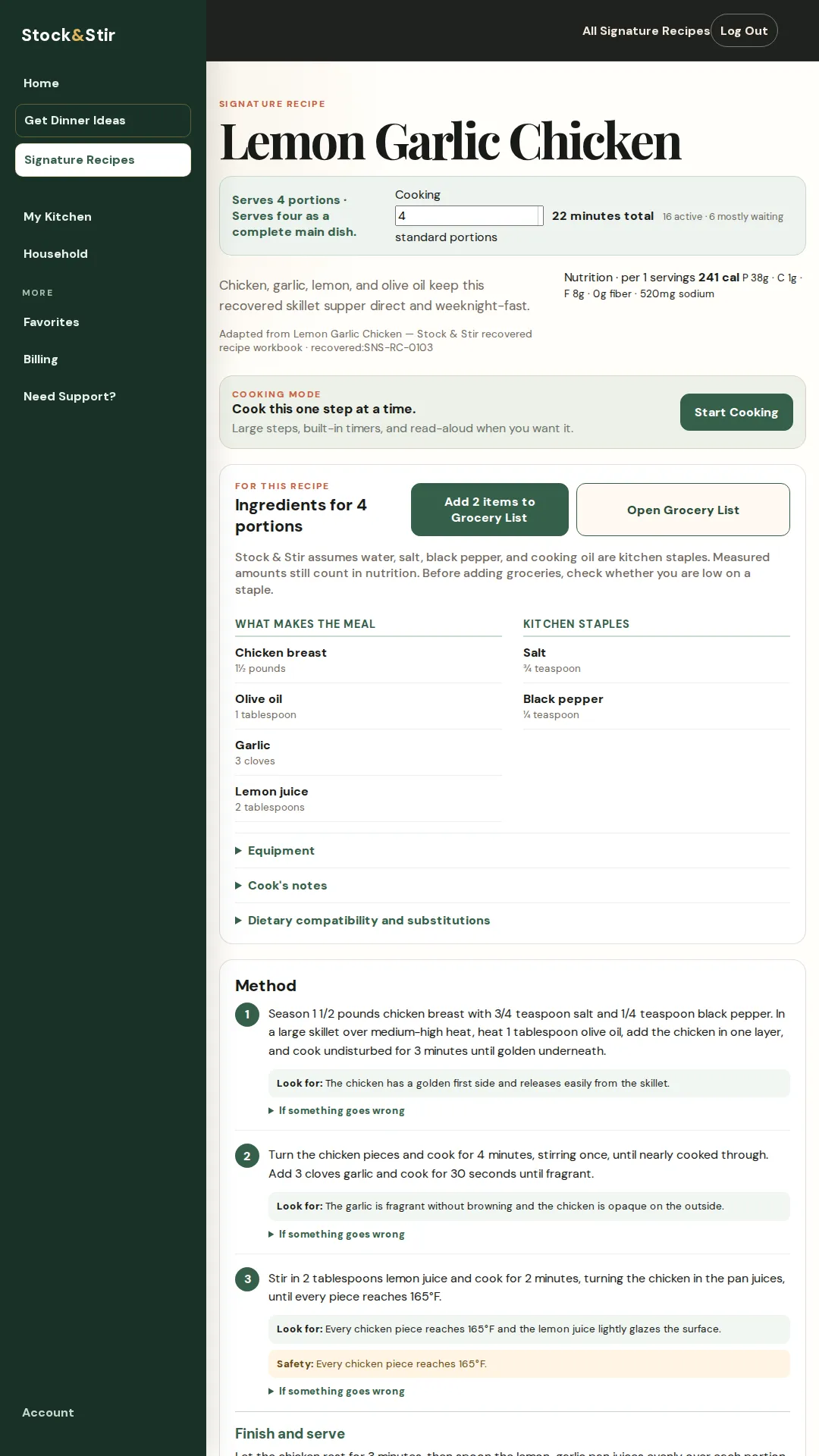
The real product screen
See it in the product.
A close look at the screen behind the promise.
The next step
Keep the dinner moving.
Set the people, time, and practical capacity for tonight, compare the work-aware meal cards, then open the chosen recipe and continue into Cooking Mode.
Short FAQ
A few useful answers.
What does the card show before I choose?
It shows the practical shape of the meal: preparation and hands-on time, waiting time, servings, equipment, cleanup, chopping, stove attention, and other work the recipe asks for.
Is this only about total minutes?
No. Two meals can take a similar amount of time while asking for different amounts of standing, watching, lifting, draining, or cleanup.
What happens after I choose?
Open the recipe for its full details, then use Cooking Mode for step-by-step guidance.
Make the next dinner easier to handle.
See it work before you sign up. A 28-second tour of a real meal choice and Cooking Mode.
No signup needed to watch.
Read the product demonstration transcript
Background music plays. The Home screen shows foods saved in My Kitchen. No Decisions Please selects Lemon Garlic Chicken and opens Cooking Mode.
Cooking Mode shows a single step, a read-aloud control, a timer, and a preview of the next step. A later step displays the safety endpoint: every chicken piece reaches 165°F. A photograph of lemon-garlic chicken closes the demonstration.
7 days free, then $10/month or $100/year. Card required. Cancel before the trial ends to avoid a charge.