Your kitchen
Shop for the gap, not a whole new kitchen.
See exactly what is missing from the chosen meal and nothing more.
The grocery list comes from the meal you chose. It keeps the ingredients already counted in the kitchen separate from the small gap that needs a shop.
A real example
One missing item
You choose a meal that fits almost everything you have. The list shows the one item missing instead of sending you out for a full trolley.
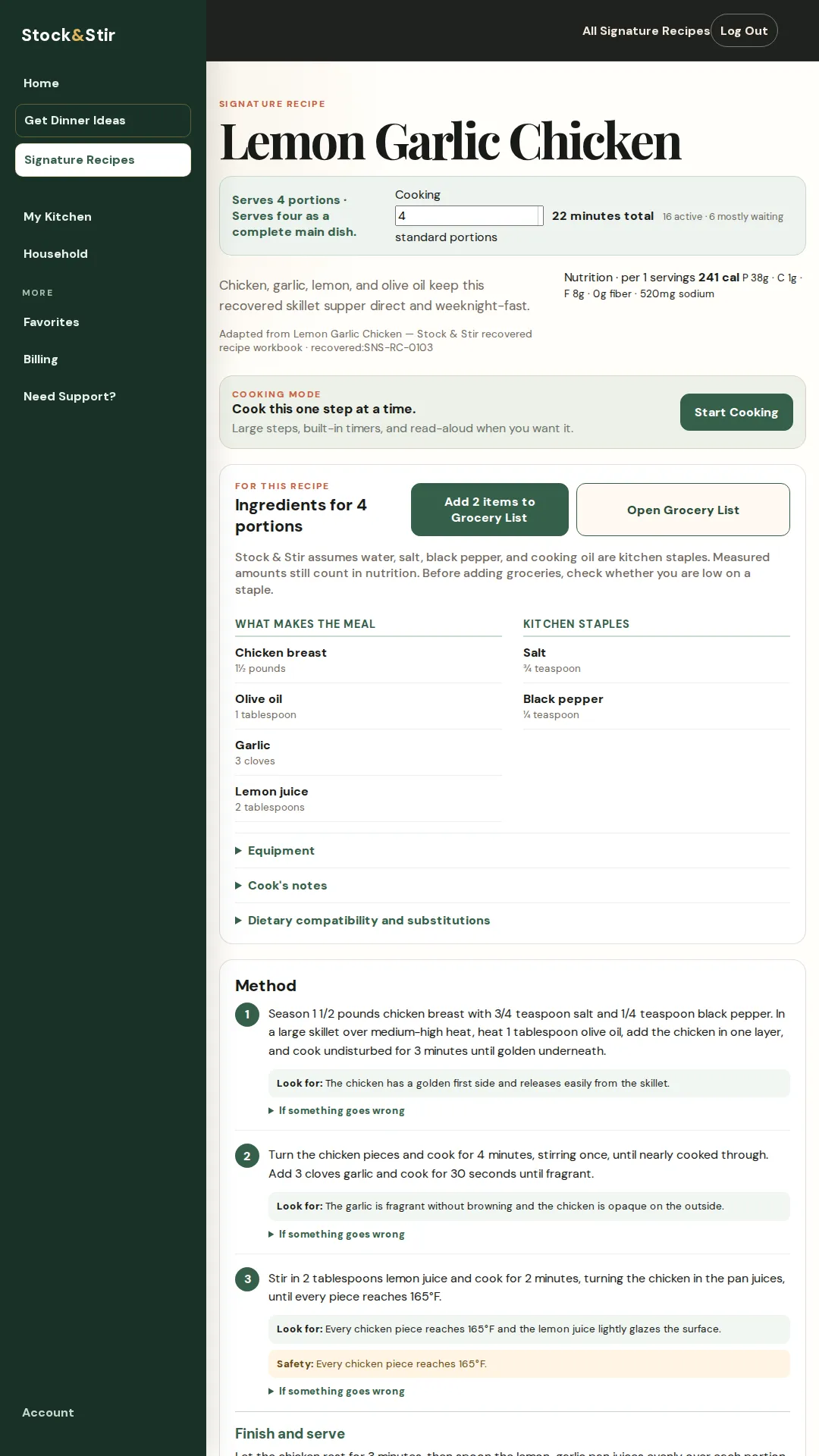
The real product screen
See it in the product.
A close look at the screen behind the promise.
The next step
Keep the dinner moving.
Add the missing items, then return to the recipe and move into Cooking Mode when the kitchen is ready.
Short FAQ
A few useful answers.
Does the list include everything I might want?
No. It is built around what the chosen meal is missing.
Are staples kept separate?
The demonstrated recipe view separates kitchen staples from the ingredients that make up the meal.
When should I use it?
Check the gap after choosing a meal, before you start cooking.
Make the next dinner easier to handle.
See it work before you sign up. A 28-second tour of a real meal choice and Cooking Mode.
No signup needed to watch.
Read the product demonstration transcript
Background music plays. The Home screen shows foods saved in My Kitchen. No Decisions Please selects Lemon Garlic Chicken and opens Cooking Mode.
Cooking Mode shows a single step, a read-aloud control, a timer, and a preview of the next step. A later step displays the safety endpoint: every chicken piece reaches 165°F. A photograph of lemon-garlic chicken closes the demonstration.
7 days free, then $10/month or $100/year. Card required. Cancel before the trial ends to avoid a charge.