Learning and recipes
See the work before you choose the recipe.
Use work-aware recipe cards, so the demands are visible up front.
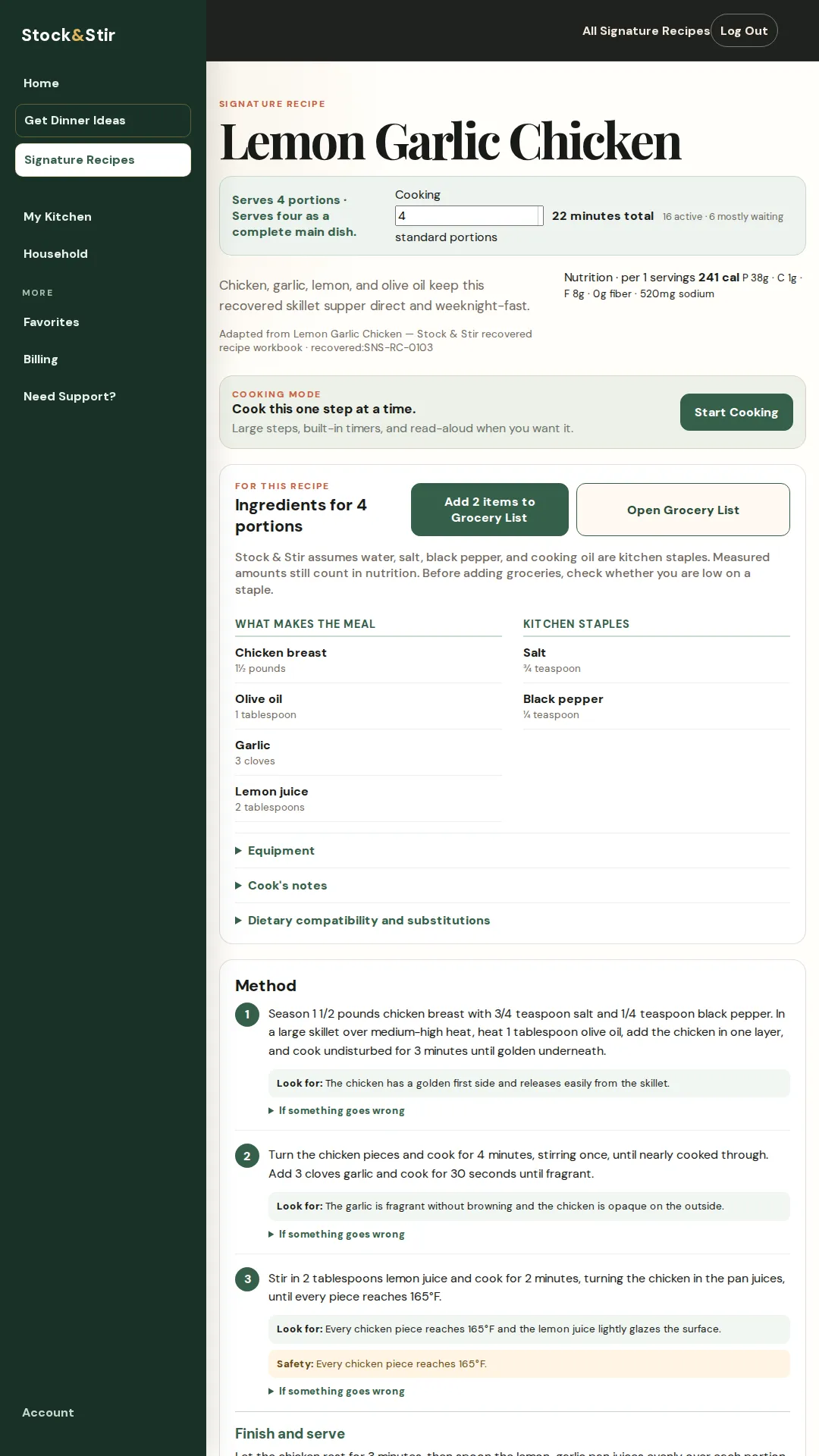
A Stock and Stir recipe card puts the practical shape of dinner next to the ingredients and method: total time, hands-on time, waiting time, equipment, cleanup, servings, and what the meal needs.
A real example
Two meals, one evening
You are choosing between two dinners. One needs less standing at the stove, so the work-aware card helps you pick it before you have started chopping.
The real product screen
See it in the product.
A close look at the screen behind the promise.
The next step
Keep the dinner moving.
Pick the recipe whose work fits, check the grocery gap, and start Cooking Mode when you are ready.
Short FAQ
A few useful answers.
What does work-aware mean here?
It means the card surfaces practical details such as total time, active time, waiting time, equipment, cleanup, servings, and ingredients.
Which recipe is shown?
The real product screen is the Lemon Garlic Chicken recipe interface.
Can a recipe lead into Cooking Mode?
Yes. The demonstrated interface includes a Start Cooking action and the method below it.
Make the next dinner easier to handle.
See it work before you sign up. A 28-second tour of a real meal choice and Cooking Mode.
No signup needed to watch.
Read the product demonstration transcript
Background music plays. The Home screen shows foods saved in My Kitchen. No Decisions Please selects Lemon Garlic Chicken and opens Cooking Mode.
Cooking Mode shows a single step, a read-aloud control, a timer, and a preview of the next step. A later step displays the safety endpoint: every chicken piece reaches 165°F. A photograph of lemon-garlic chicken closes the demonstration.
7 days free, then $10/month or $100/year. Card required. Cancel before the trial ends to avoid a charge.